Drill-down Graphs
Drill-down Graphs
Some graphs have a drill-down feature, wherein you can view workload data in a particular context. For instance, you can view some of the graphs, that you see in the workload graphs in the context of a particular database.
- Click on the box menu icon in the top right corner of the top chart. Choose Load by Waits (Database) graph.
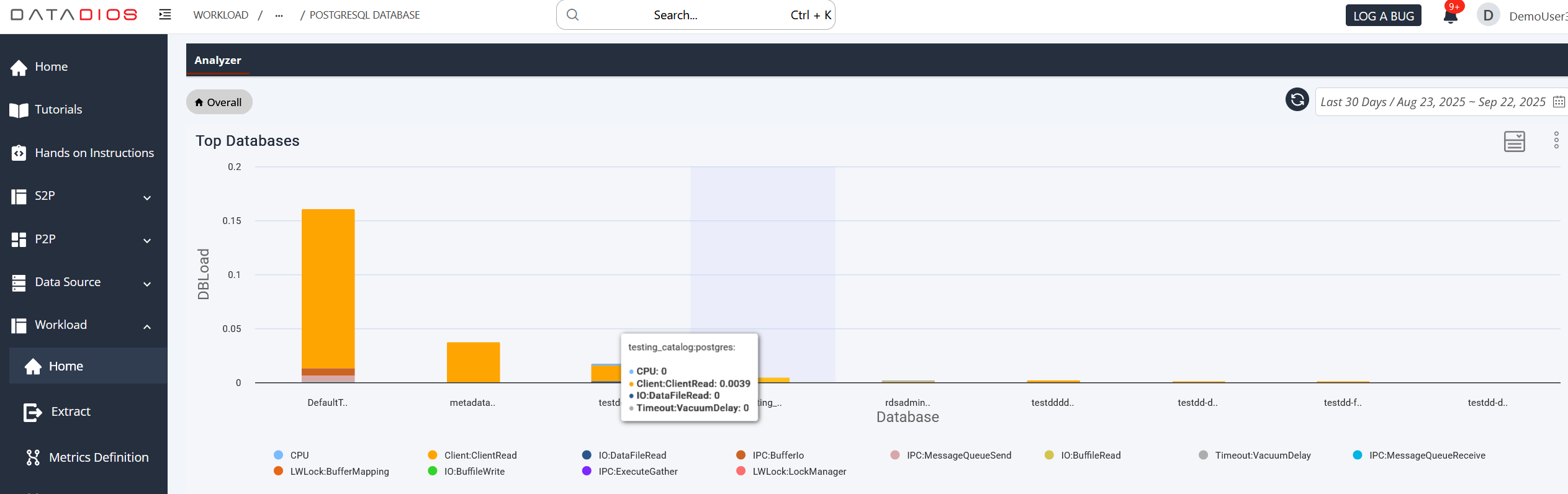
- Click on database testing_catalog.
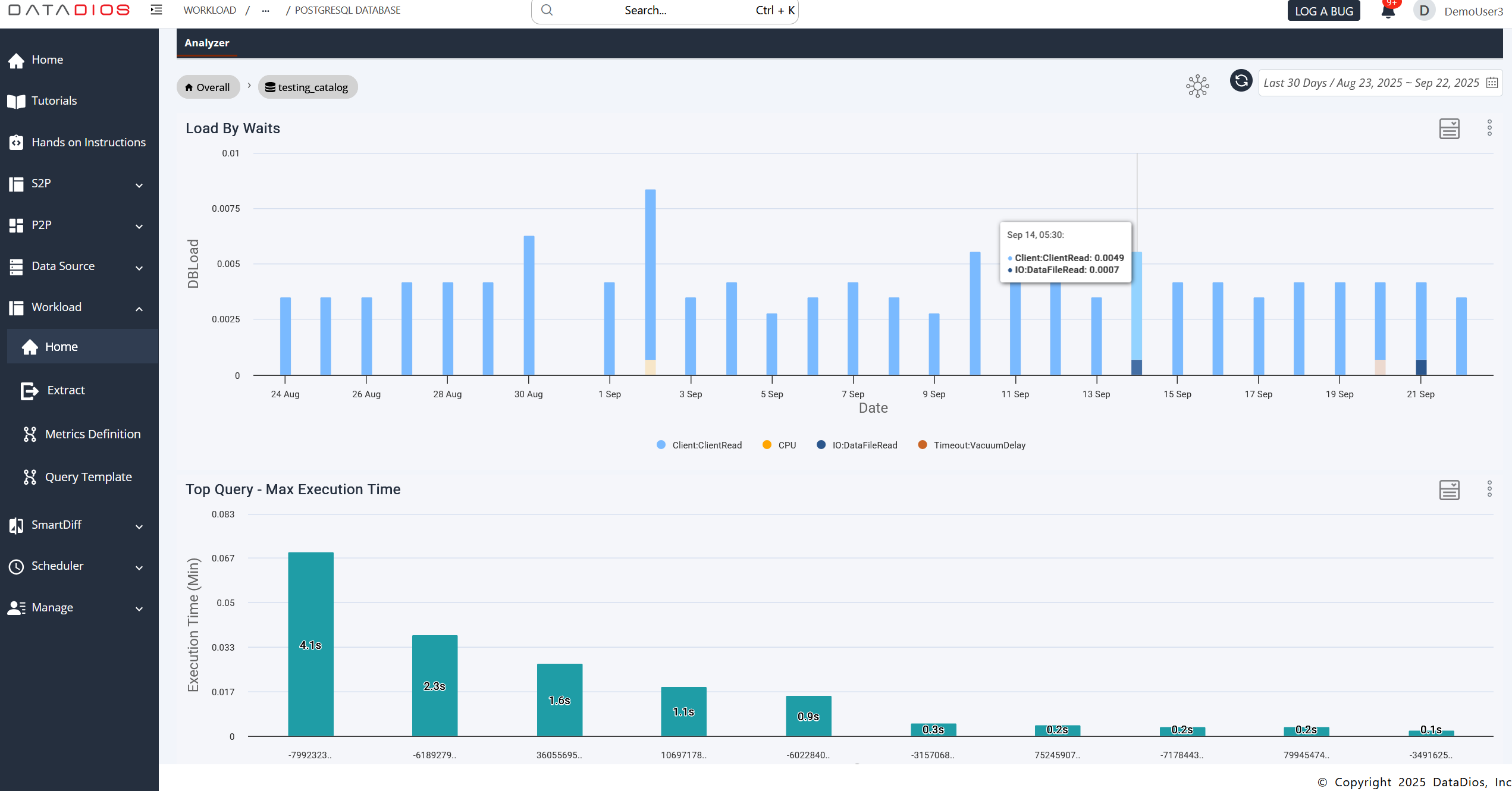
- A new view will appear showing the graphs similar to the ones in the workload analyzer's main page.
A Databricks data source drills into a workspace the same way: on its Query Workload, Compute Usage or Cost tab, click a bar in the chart named "by Workspace". See Workload data by workspace.