Manage
Overview
The Manage section provides administrative tools and configuration options to control how the system operates, who can access it, and what resources are available.
Manage is available to administrators. Some pages are restricted further — Logs, for example, is available only to administrators of the default tenant.
Navigation
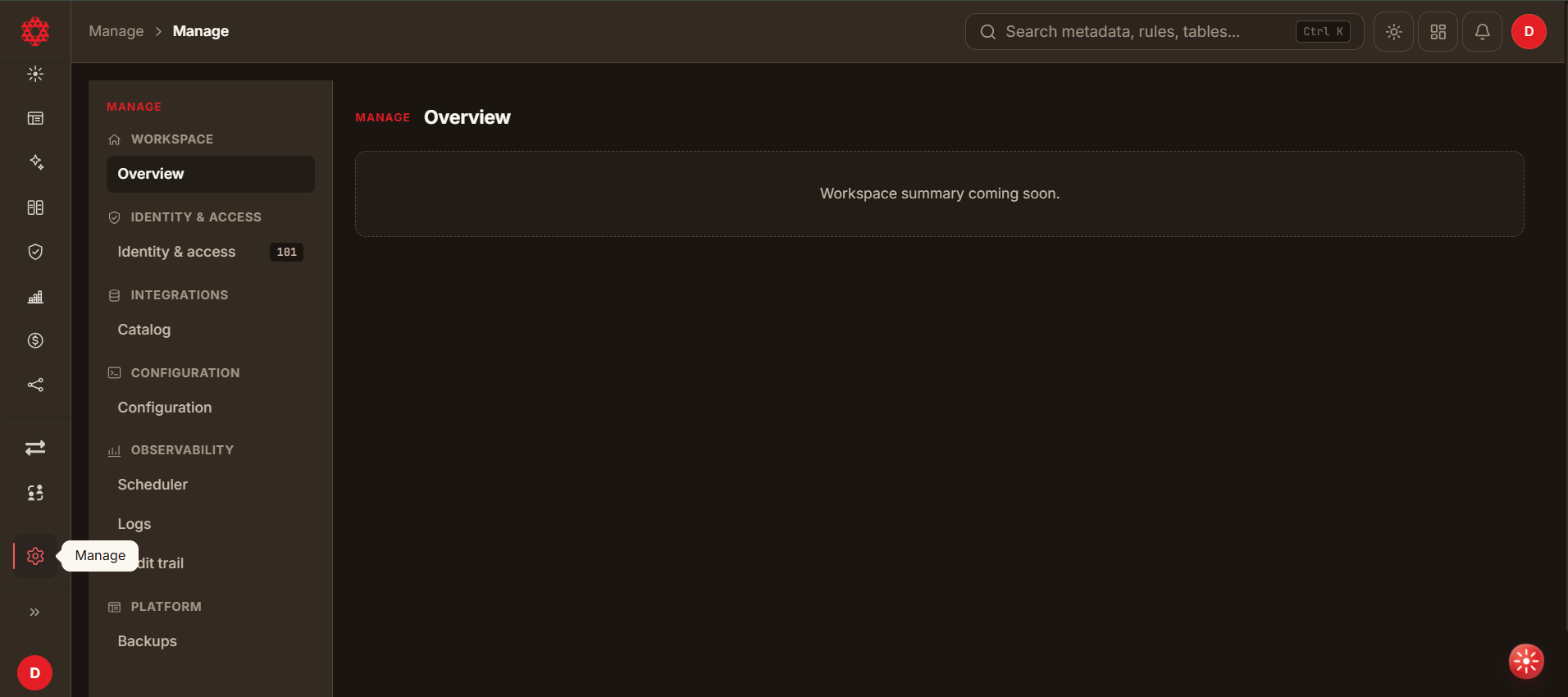
- Select Manage at the bottom of the left-hand sidebar. Manage then takes over the sidebar with its own navigation, grouped into five sections.
Features
- Add users, change their access tier, and disable accounts. There is no delete action here — see Identity & access.
- Configure global settings that affect the entire application, including system preferences and default behaviors.
- Enable the features and services for all users.
- View detailed logs of user activities and system events for auditing and troubleshooting. Logs are available only to administrators of the default tenant.
- Manage the resources and policies associated with your organization.
Sections
The Manage navigation is grouped into five sections:
| Group | Page | What it covers |
|---|---|---|
| Workspace | Overview | A summary of the tenant. Not yet available. |
| Identity & access | Identity & access | The people and machines that can sign in, and what has been shared with whom. |
| Integrations | Catalog | Third-party integrations. Not yet available. |
| Configuration | Configuration | Universal Semantic Search registration and the tenant's default queue. |
| Observability | Scheduler | Every scheduled platform job, its history and its next run. |
| Observability | Logs | Server log files, grouped by service, with a filterable viewer. |
| Observability | Audit trail | A record of administrative actions. Not yet available. |
| Platform | Backups | Snapshots of the DataDios Postgres cluster. Not yet available. |
Areas not yet available
Four entries appear in the Manage navigation but are not yet built. They open to a "coming soon" message rather than a working screen.
| Area | Notes |
|---|---|
| Overview | Intended as a tenant summary. In the meantime, Identity & access has the account counts and Scheduler has job status. |
| Catalog | Intended for third-party integrations. Connections to databases, warehouses and object stores are not managed here — those are data sources, registered from the Data sources page. See Data Sources. |
| Audit trail | Intended to record who changed what, and when. Until it ships, Logs is the closest equivalent, though it records service activity rather than a curated administrative history. |
| Backups | Snapshots of the DataDios Postgres cluster. The page warns that restore is destructive and requires stopping datadios-app — so a restore replaces the current database, cannot be undone from the interface, and cannot run while the platform is serving traffic. |