XML File Diff
Overview
The XML File Diff feature lets you compare data across XML or other hierarchical files.
This is useful for validating structured exports, ETL processes, or migrations where nested tags matter.
How to Use SmartDiff XML File Diff
Step 1: Open SmartDiff
- Select SmartDiff from the left panel — this opens the Workflows list
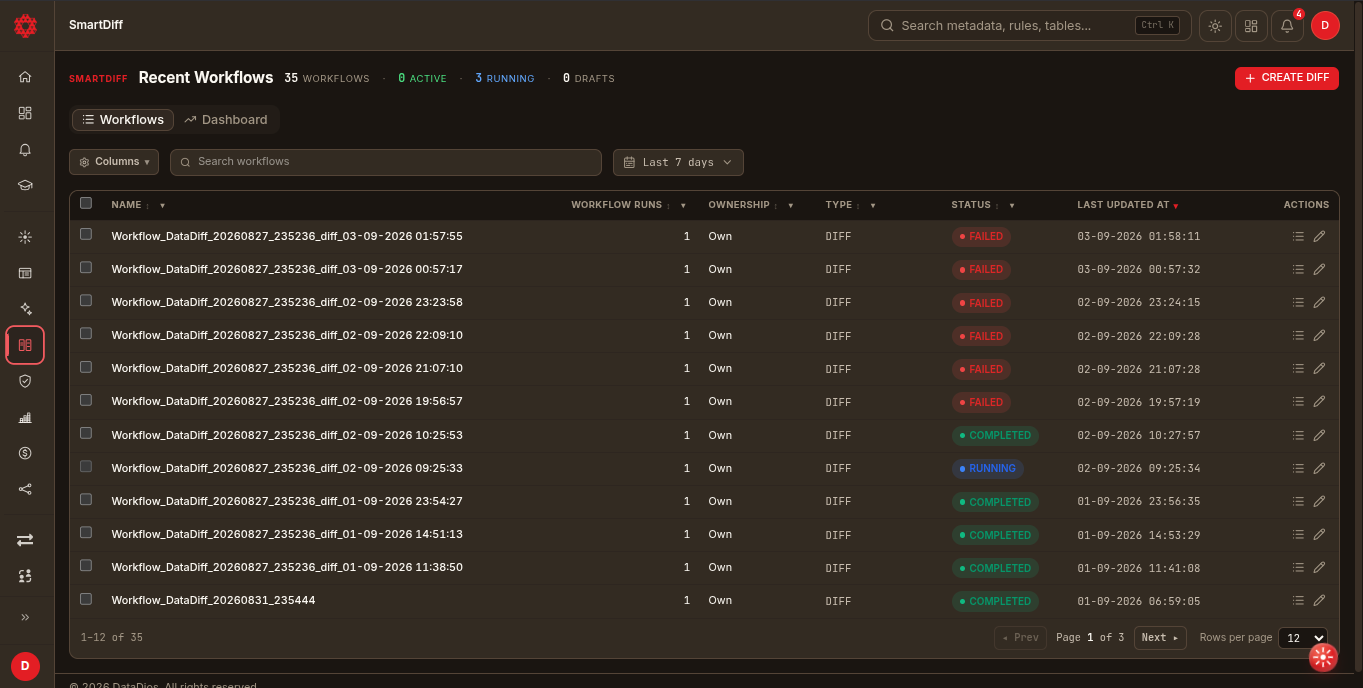
Step 2: Create a New Diff Workflow
- Click + Create diff. This creates a draft workflow and opens the editor directly.
Step 3: Switch to File Type
- In the metadata strip at the top of the editor, switch the type tabs from Data sources (default) to File
Step 4: Add a File Pair
Open the Mapping tab — for a File-type workflow this is a master-detail layout of file pairs:
- Click Add pair in the left rail to create a new pair
- In the right pane, pick a source and target XML file for the pair
Step 5: Analyze
- Click Analyze once both files are picked
- This infers the tag/path structure and sample data for both files and auto-maps exact-name paths into the mapping table
- Use Re-analyze if you swap either file afterward
Step 6: Review Path Mapping
- The mapping table lists each paired XPath with a match status; toggle the key icon on a path to mark it as part of the comparison key
- Paths that didn't get an exact-name match land in the Unmapped section — pair them manually, or use Accept all fuzzy / Auto-map remaining
- These mappings drive the Summary and Data diff views
Step 7: Configure (Optional)
- Configuration and Validation tabs behave the same as for CSV File Diff — see CSV File Diff for details.
- File Diff workflows don't have separate Filters or Transforms tabs — those are only available on Data Source Diff workflows. See Data Transformation for the full transform guide.
Step 8: Run and View Results
- Click Run diff in the header. The editor switches to the Results tab; the other tabs disable while the run is in progress.
- The left rail lists your file pairs; select All pairs for the aggregate view or a specific pair for its detail.
Summary
Shows high-level count differences across selected XPaths:
- All data: All mapped paths
- Only diff: Only differing paths
- By source / By target: Frequency-based comparisons
- Export: CSV/PDF
Data Diff
- The XML viewer highlights tag-level differences
- Source-only values: Red
- Target-only values: Green
- Only diffs toggle plus row search
- Export: CSV/PDF
Related Guide
- For CSV comparisons, see CSV File Diff